

Components#
In the Sugarcoat ecosystem, a Component (any BaseComponent derived object) is the fundamental unit of execution. It replaces the standard ROS2 node with a robust, Lifecycle-managed, and Configurable entity designed for real-world autonomy.
While a standard ROS2 node requires you to manually handle parameter callbacks, timer loops, error catching, and lifecycle transitions, a Sugarcoat Component handles this boilerplate automatically, letting you focus entirely on your algorithm.
Why use BaseComponent?#
Lifecycle Native: Every component is a lifecycle node by default. It supports configure, activate, deactivate, and shutdown states out of the box.
Health Aware: Built-in Health Status broadcast and connection to the system.
Self-Healing: Native support for when things go wrong using Fallbacks.
Type-Safe Config: Configurations are validated using
attrsmodels, not loose dictionaries.
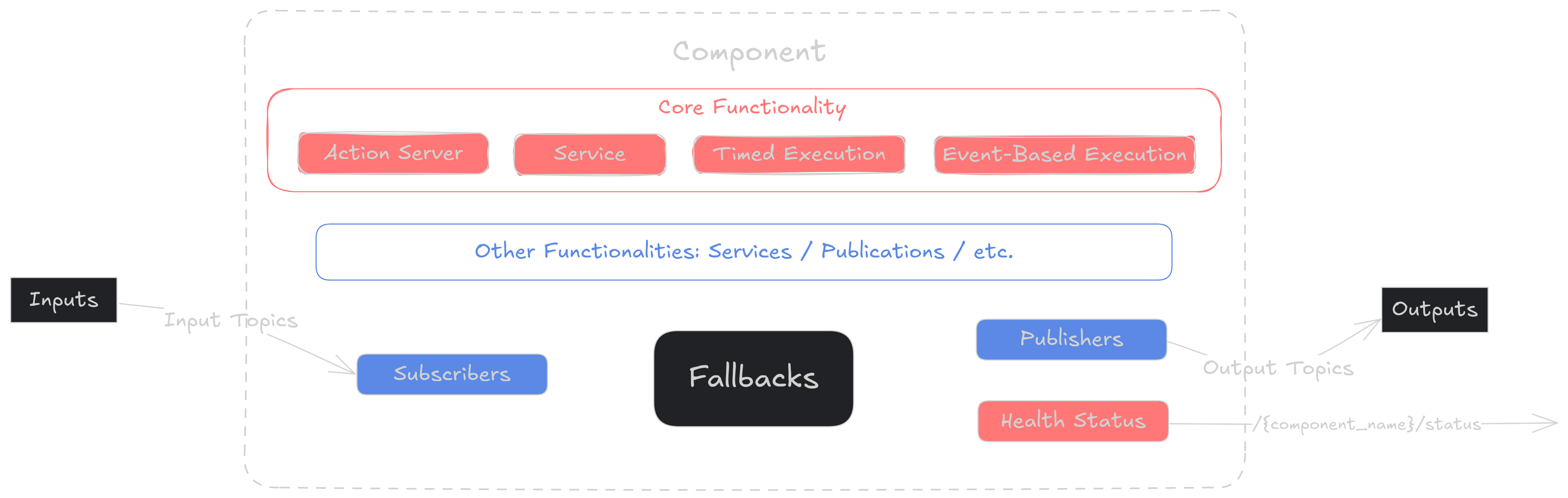
Component Structure#
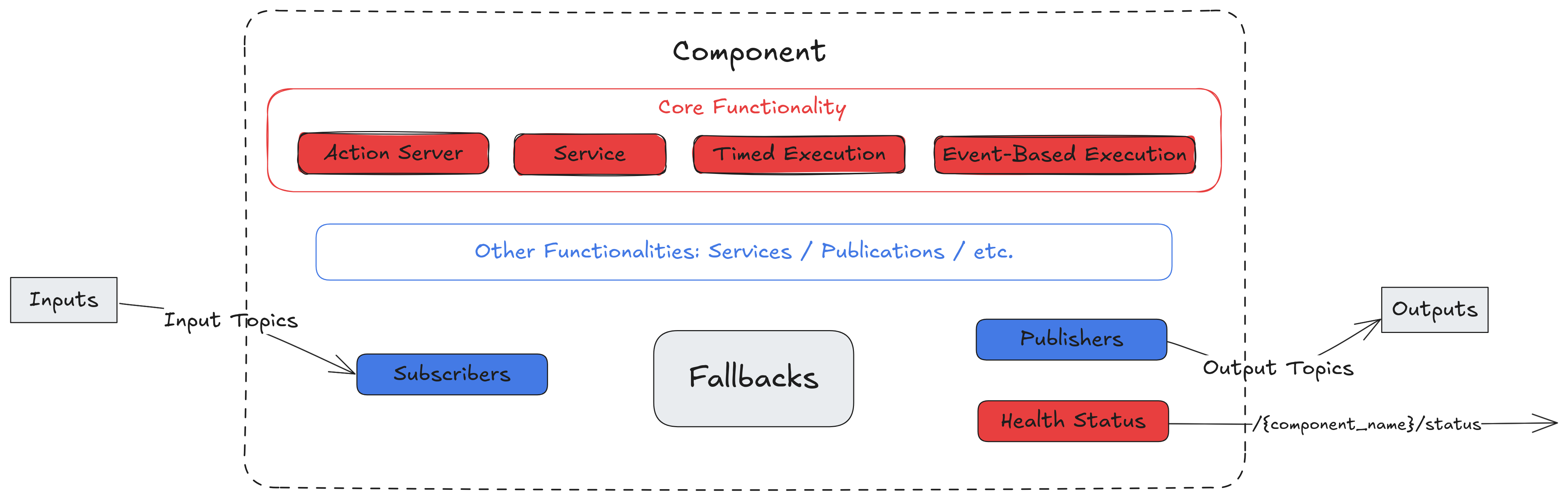
Component Structure#
Execution (Run) Types#
Each Component must serve (at least) one main functionality which can be executed in different modes or ComponentRunType (Example below)
The Component can offer any number of additional services.
Available ComponentRunType are:
RunType (str) |
RunType (enum) |
Description |
|---|---|---|
Timed |
ComponentRunType.TIMED |
Executes main functionality in a timed loop while active |
Event |
ComponentRunType.EVENT |
Executes main functionality based on a trigger topic/event |
Server |
ComponentRunType.SERVER |
Executes main functionality based on a ROS2 service request from a client |
ActionServer |
ComponentRunType.ACTIONSERVER |
Executes main functionality based on a ROS2 action server request from a client |
The run type can be configured directly using ‘run_type’ property:
from ros_sugar.config import ComponentRunType, BaseComponentConfig
from ros_sugar.core import BaseComponent

# Can set from Component
comp = BaseComponent(component_name='test')
comp.run_type = "Server"    # or ComponentRunType.SERVER
Tip
All the functionalities implemented in ROS2 nodes can be found in the Component.
Inputs and Outputs#
Each component can be configured with a set of input topics and output topics. When launched the component will automatically create ROS2 subscribers, publishers and callbacks to the associated inputs/outputs.
Sugarcoat defines a set of callbacks and publishers for each of its supported types. These ‘converter’ methods help parse ROS2 types to/from standard python types automatically. You can modify or extend these callbacks and publishers in your “Sugarcoated” package.
from ros_sugar.core import BaseComponent
from ros_sugar.io import Topic

# Define a set of topics
map_topic = Topic(name="map", msg_type="OccupancyGrid")
audio_topic = Topic(name="voice", msg_type="Audio")
image_topic = Topic(name="camera/rgb", msg_type="Image")

# Init the component with inputs/outputs
comp = BaseComponent(component_name='test', inputs=[map_topic, image_topic], outputs=[audio_topic])
See also
Check how to configure a topic for the component input or output here
See also
Check a list of the available callbacks/publishers for Sugarcoat supported message types here
Health Status#
A Sugarcoat component does more than just run; it actively reports its operational state. Instead of simply crashing or hanging when an error occurs, the Health Status allows the component to explicitly declare what went wrong (e.g., “Algorithm Convergence Failed,” “Camera Driver Disconnected,” or “Missing Input Topic”).
This status is both:
Internal: Used immediately by the component to trigger local recovery strategies (see fallbacks).
External: Broadcast to the system Monitor (configurable via
BaseComponentConfig) to alert other nodes or the operator.
More details here on how to report granular failure levels.
Fallbacks (Self-Healing)#
Fallbacks are the “immune system” of your component. They define a set of recovery actions that are automatically triggered when the Health Status reports a failure. Instead of writing complex try/catch/restart logic inside your main loops, you can declaratively configure strategies such as:
Retry: Re-attempt the operation \(N\) times.
Reconfigure: specific parameters to loosen constraints.
Restart: Reboot the specific lifecycle node (without killing the whole process).
Learn more on how to configure recovery behaviors here.
Best Practices#
Keep init Light: Do not load heavy resources or start threads in init. Use custom_on_configure or custom_on_activate. This ensures your node starts up instantly and can be introspected before it starts doing heavy work.
Always Report Status: Make it a habit to call
self.health_status.set_healthy()at the end of a successful _execution_step.Use Exception Handling: Wrap your logic in try/except blocks and report
set_fail_algorithmorset_fail_componentinstead of letting the node crash. This allows your system to execute fallbacks and avoid process crashing. More on reporting the status here